
During the winter season, ARCC runs a public weekly Sunday ride on the indoor cycling platform Zwift this is an alternative to those who do not want to ride outside on the Sunday group ride, usually from late November to the end of February. You will need to have subscribed to Zwift in order to participate. See the Zwift getting started guide.
More details are below but generally we run an hour social at 2.0w/kg followed by a 20-30 minute optional race, non-racers can just use the time to warm down.
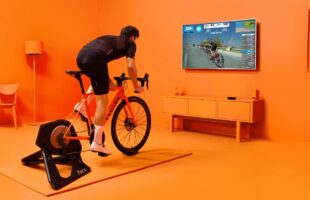
Joining the ARCC Zwift Event
Step 1 : Register for the event either on the phone app (Zwift Companion) or on www.zwift.com/events. Events tend to appear in the schedule around 6 days in advance and you can register anytime after it is showing in the event list. Alternatively, you can register on the day within the Zwift system itself when you log on – select the event from the list on the RHS of your screen.
Step 2 : Join the event when you log on to Zwift to ride it! If you have pre-registered you will be prompted on the screen to join but nevertheless there were people last year who didn’t notice this and then wondered why they couldn’t ‘find’ us. Zwift will give you the option of joining the event from 30 minutes before the start time. When you join your avatar will appear on a virtual turbo on the start line and you will see the other avatars and their names.
Important : Log on to Zwift at least 10 mins before the start time, preferably 15 mins so that there is time to download any update Zwift may have and you can make sure your set-up is working correctly and you haven’t forgotten anything (water/fan/towel etc). Join the ride at least 5 mins before the start so you can see any instructions I am giving about the ride.The ride start is automated – I cannot control it so it will start at 9:15 sharp. Late joining is not allowed.
Zwiftpower
Please ensure you have registered on zwiftpower as race results are taken from zwiftpower not zwift. The instructions are changing on registration so please goto https://zwiftpower.com and follow the steps to create/register your account, this has been taken over by zwift so likely it will accept your zwift login. (Zwift Help Page)
Once logged in, please request to join the ARCC team: https://zwiftpower.com/team.php?id=5607
Please also add “(ARCC)” to the end of your name for easy identification, this is in Profile/Settings.
Join the ARCC Zwift Club (Companion App)
A Zwift club has been set up for us (called ‘Amersham’) on Zwift Companion which we will be using to manage route selections, number of laps, leader etc for this winter’s Sunday rides. It will also be used to assign people to a race category.
To join, open Zwift Companion app, click on Clubs, All Clubs and search for Amersham, select Amersham then click the ‘Join’ button any one of the owners “Pete Stainer or Jeegnesh Patel” will need to approve your request.
Bike and Kit Customisation
From within Zwift you can select the ‘Menu’ screen and from there go to ‘Garage’ and click on frame choice options.
MAKE SURE YOU HAVE NOT SELECTED A TT BIKE. Any road bike option is fine but you will get no draft effect if you are riding a TT bike and you will find yourself having to ride at >3w/kg to keep up with the group riding at 2w/kg. There is no restriction on choice of wheels, helmet or kit.
The Social Group Laps
- Keep your eye on the countdown clock before the start – if you don’t start pedalling with everyone else you will have a very hard start to close the gap.
- Concentrate on your screen the entire ride – if you get distracted and drop off the back it is very hard work to get back on. Your focus should be to stay as close to the leader as possible. The graphic in top right of your screen shows where you are (orange triangle) relative to the leader (yellow icon) and all the other riders in the group (blue dots). There is usually a 2-3 sec delay between what you do and what your avatar does – regardless of which set-up you run. This is fine once you are used to it but initially it can lead to you yoyo-ing off the front and back in a group ride. Staying close to the leader takes a bit of practice.
- The Fence will be set to 10 seconds for the 1st half hour or so (leader will advise on screen), then will be decreased to 5 secs thereafter until the start of the race lap when it will be removed. If you breach the fence you will be given a 60 sec on-screen warning to return to the group – if you fail to return you will be removed from the ride by Zwift.
- Watch for leader messages – they may slow the group down to 1.5w/kg in the early laps to give dropped riders a chance to get back on.
- If at all possible, have the capability to use the messaging function during the ride so that you can attract the leaders attention if you are dropped (plus join in the chatter which goes on in the group laps). You can message the group either using the Zwift Companion phone app (by using the ‘group text’ button) or your laptop keyboard (by pressing ‘m’ then typing into the text box).
The Race Lap
- As we approach the start of the race lap, you MUST be behind or with the leader. It doesn’t matter if your avatar is ahead of the leader in the group as long as there is no gap – if you cross the start/finish line with a gap ahead of the leader you will be DQ’d from the race results.
- The leader will give warning of the impending race lap start with messages giving a countdown.
- The use of ‘POWER-UPS’ (see below) is allowed in the race lap.
- Position results will appear on your screen when you cross the finish line but verified results will be on Zwiftpower.com
Power-Ups
Best explained by reading this: https://zwiftinsider.com/powerups/
You may or may not receive a power-up when you cross the start/finish line on each lap. If you get one it will appear as a picture in a circle at the top of your screen. If you receive one you will not receive another until you have used the one you have.
Weight Doping
As the idea is to make the event accessible to all club riders, if you feel you can’t ride at 2w/kg for about an hour you can dope your weight (downwards!) in your Zwift profile to something that will enable you to ride with the group. BUT, you can’t do the race lap and will need to exit the event after the group laps. Please be honest. In any case, the weight you have entered on the system will be on display in the Zwiftpower results if you race!